本文将介绍如何创建阿里云抢占式实例+开启CDT+保活 达到每月4元享受200G单向高速流量的方法
一.开通阿里云OSS并上传alpine镜像
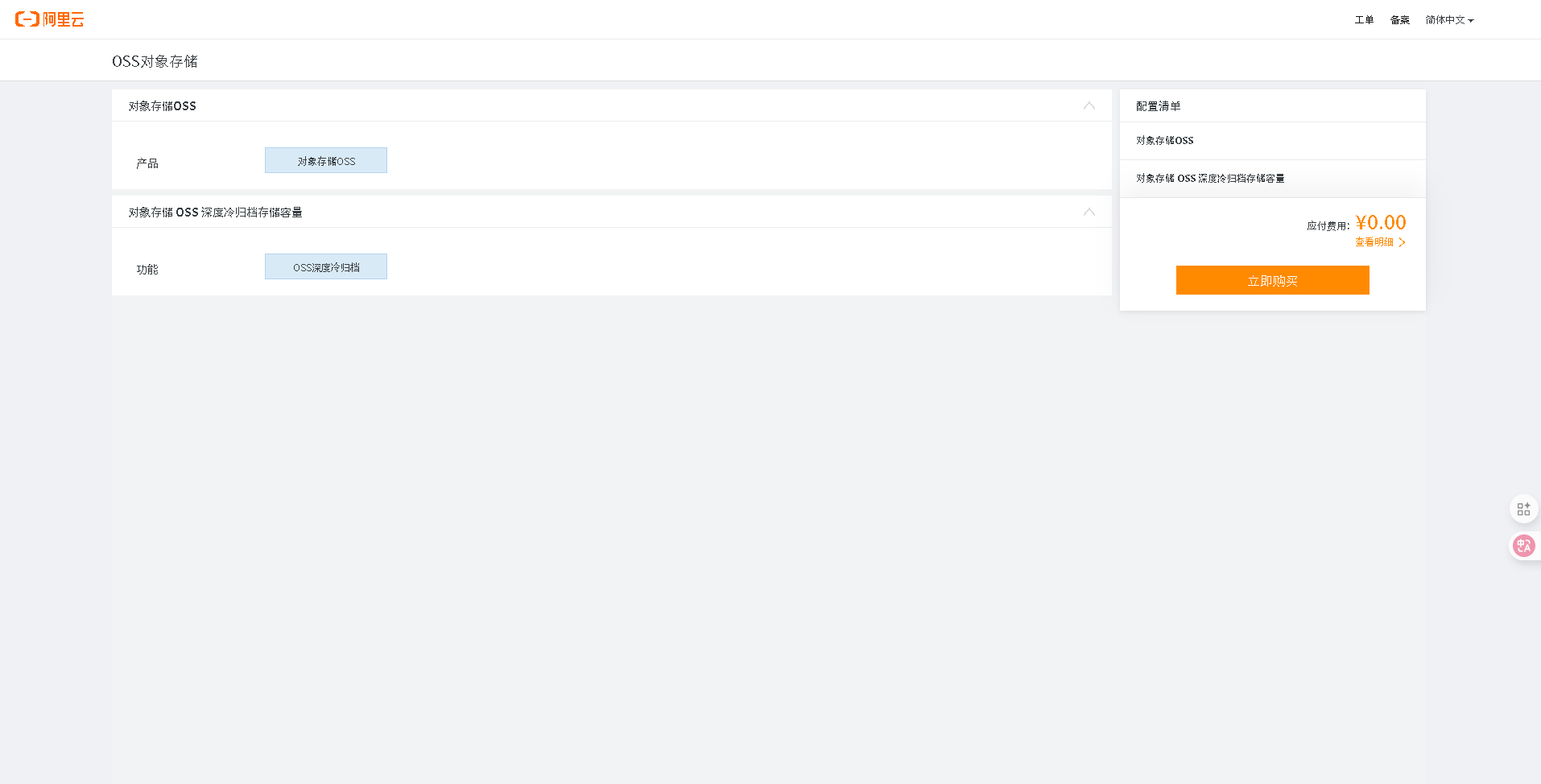
- 搜索栏搜索oss并开通
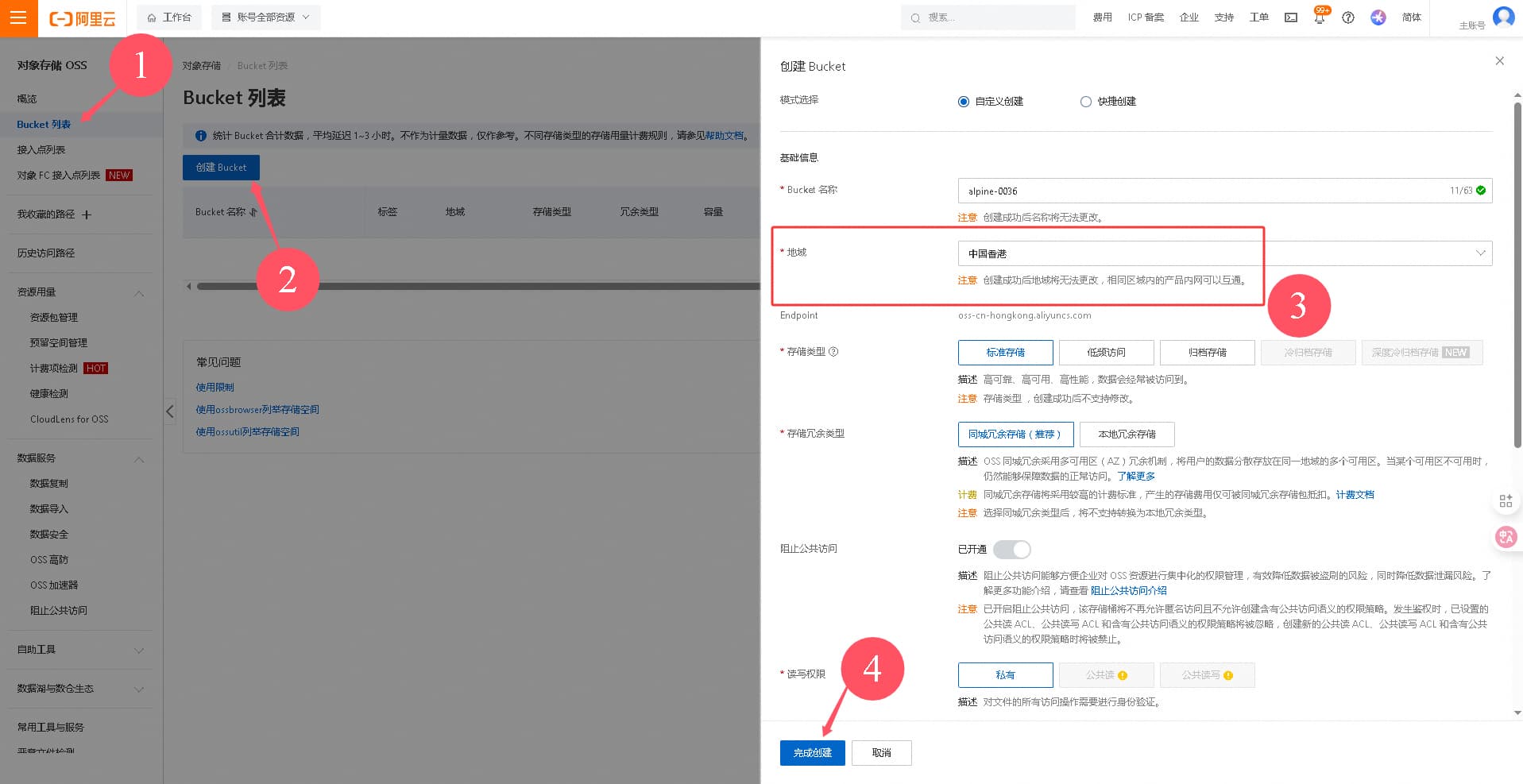
2.点击管理控制台,创建bucket,地域切记选择香港
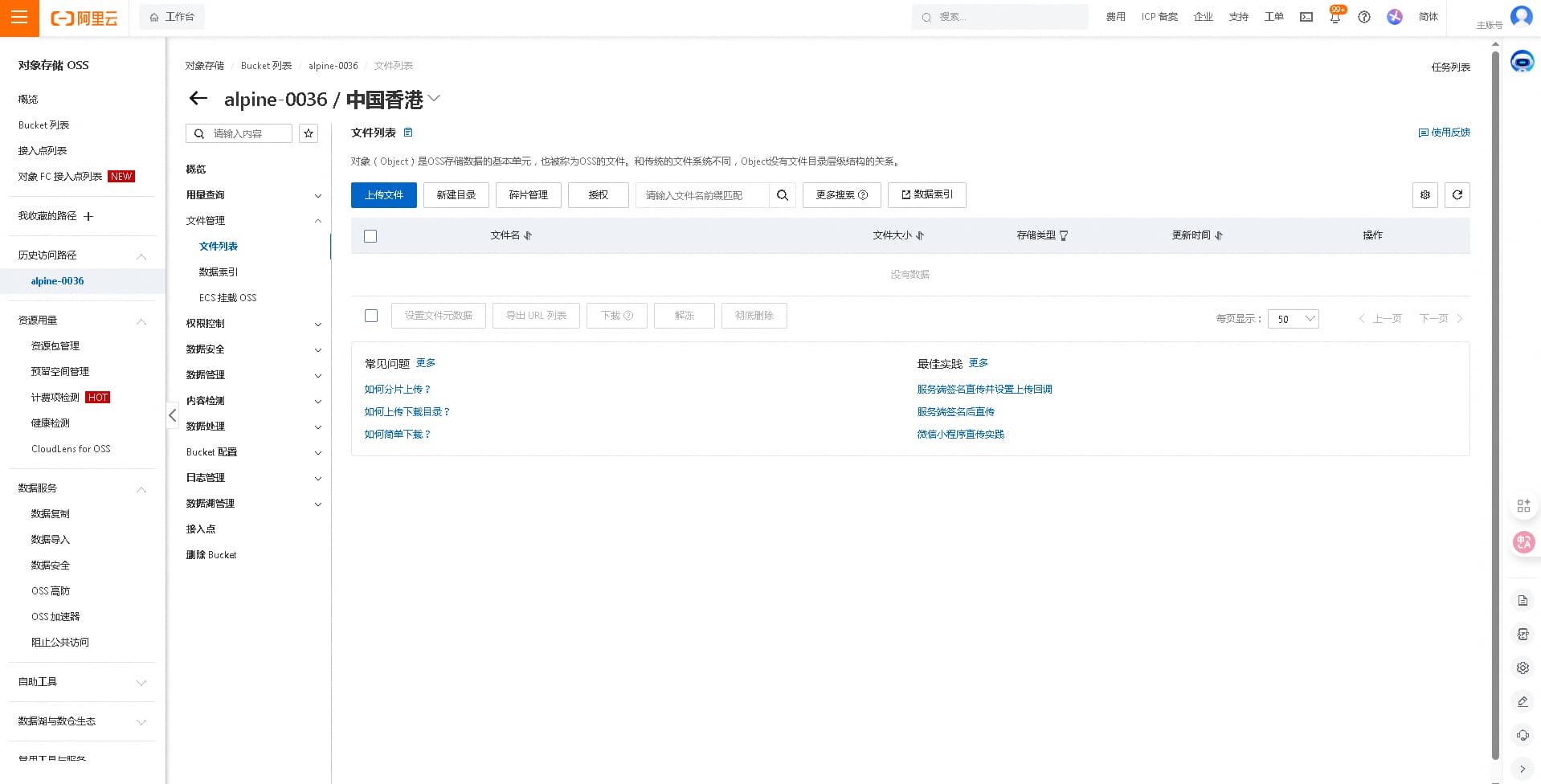
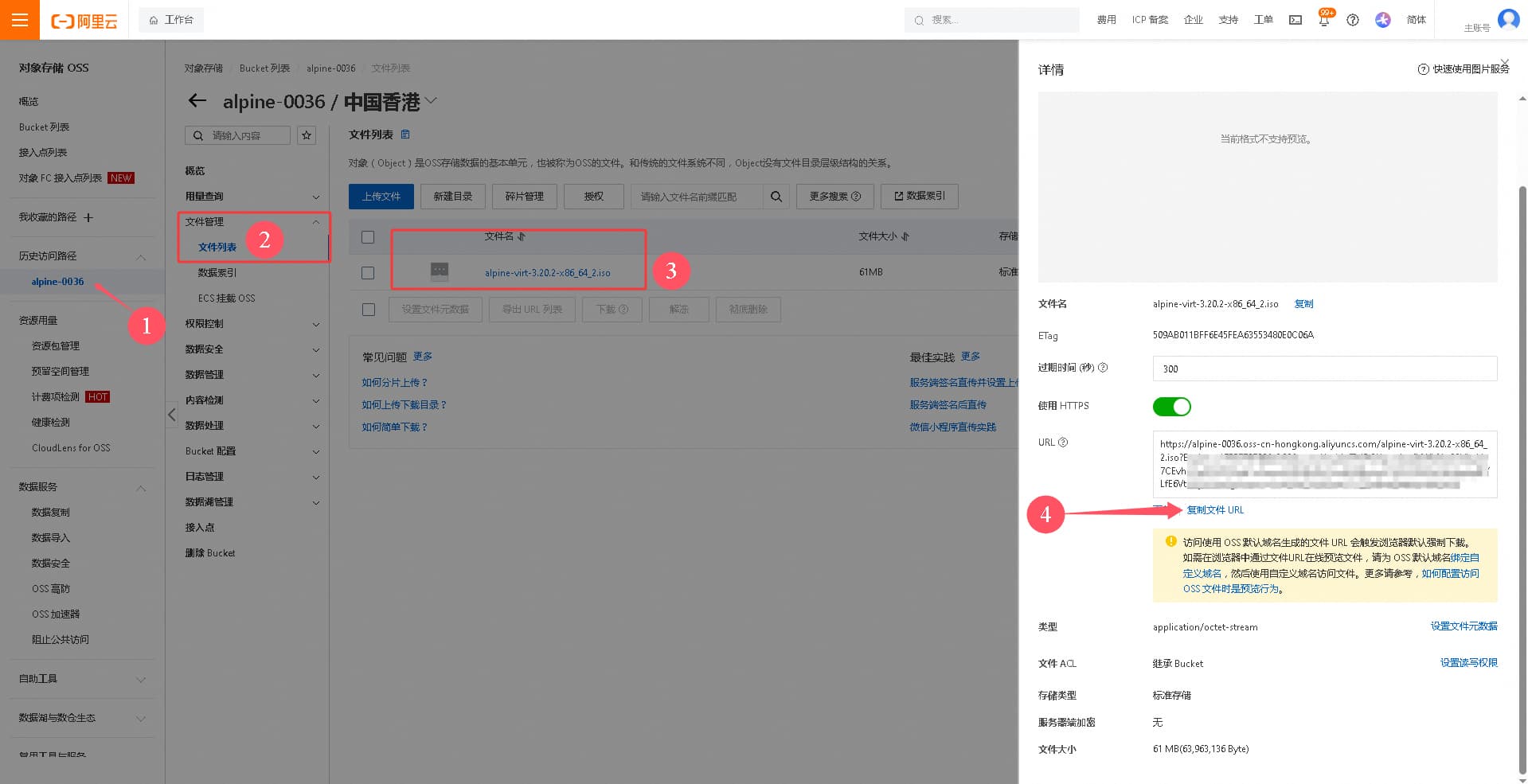
- 创建成功后,进入bucket。上传所需apline镜像
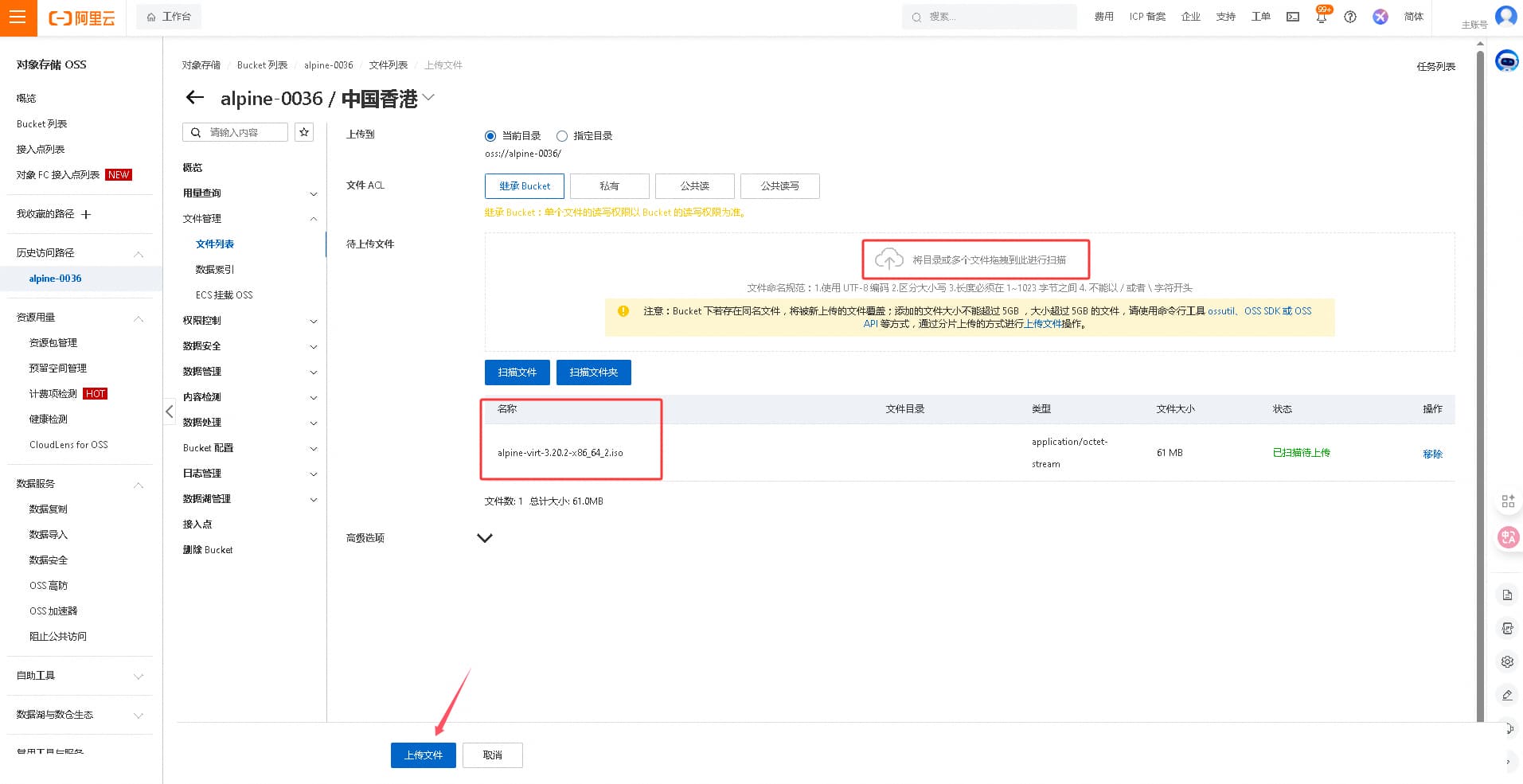
alpinelinux:https://dl-cdn.alpinelinux.org/alpine/v3.20/releases/x86_64/alpine-virt-3.20.2-x86_64.iso (61M)
点击上传文件,上传刚刚下载好的alpine镜像
- 保存上传好的镜像链接,下一步要用



二.创建系统镜像
- 点击
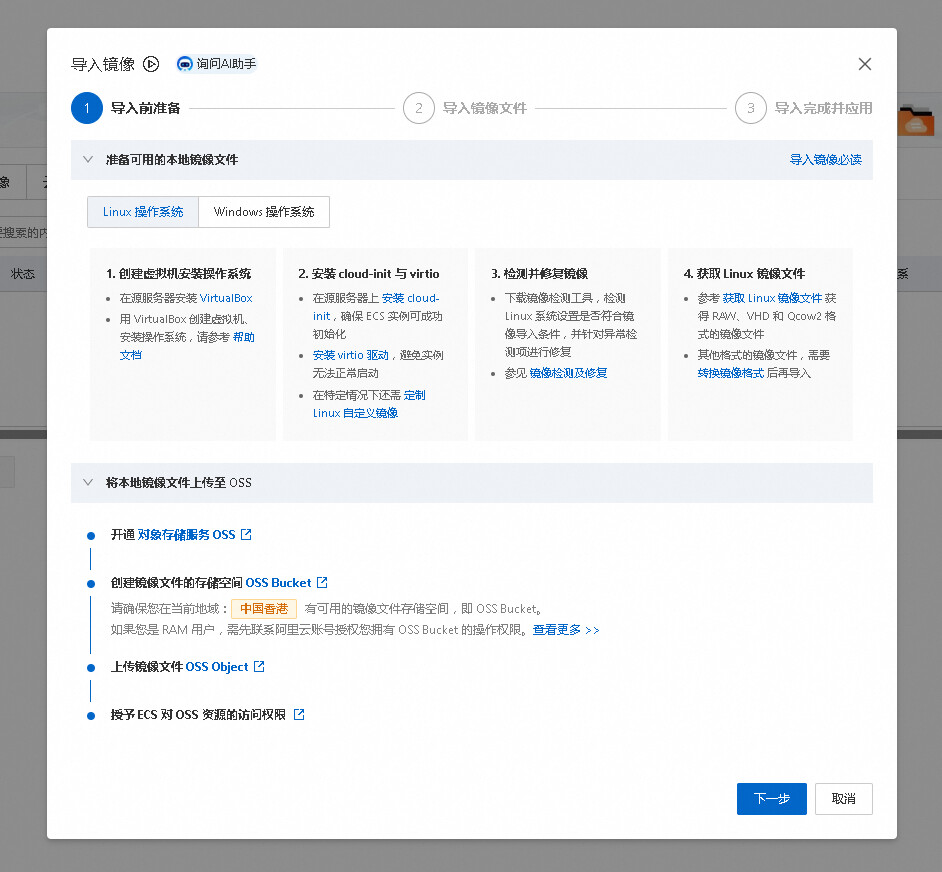
https://ecs.console.aliyun.com/image/region/cn-hongkong,导入刚刚上传到oss的alpine镜像
点击下一步
耐心等待



三.创建抢占式实例
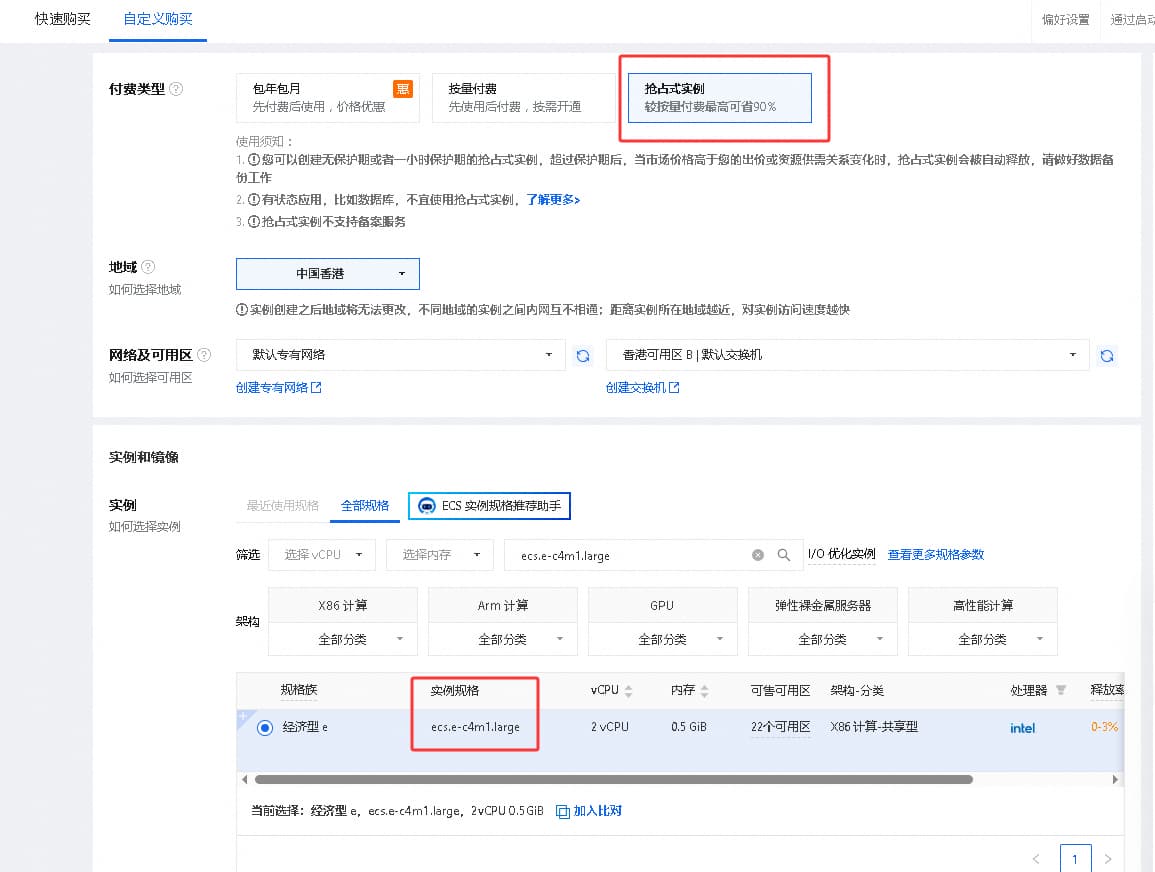
- 点击 阿里云登录 - 欢迎登录阿里云,安全稳定的云计算服务平台 创建实例
先暂不分配ip
确认下单


四. 创建弹性公网ip
-
确认配置、点击购买
-
创建完成后绑定实例 https://ecs.console.aliyun.com/server/region/cn-hongkong
-
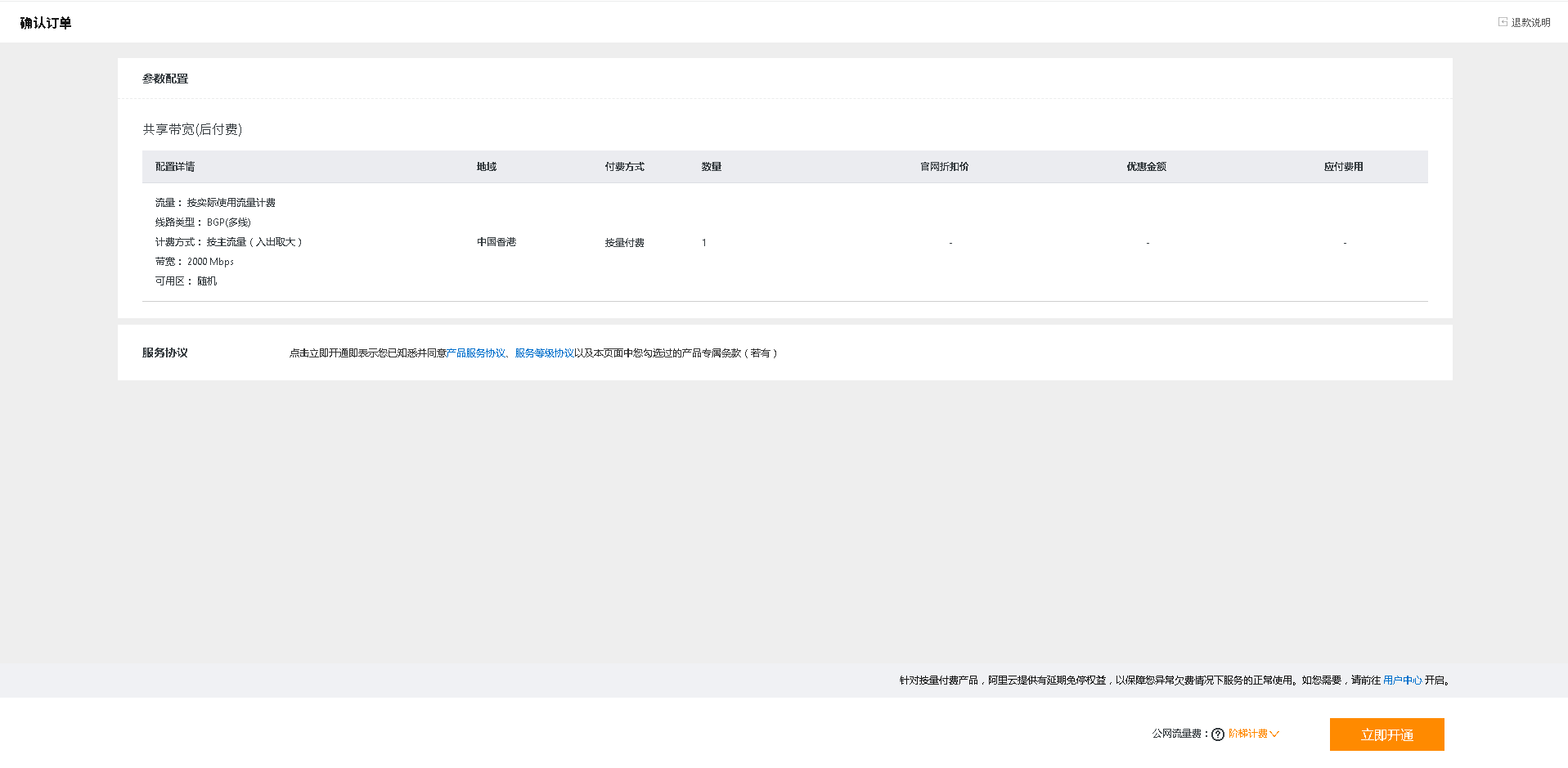
返回弹性公网ip,创建加入共享带宽
现在就成为2G带宽的服务器了



五. 安装系统
过程
一:安装
首次需要登录VNC,输入root,密码空,来到Localhost#:状态,输入setup-alpine进行首次安装,这个跟平时我们安装EXE软件差不多的,一路回车,下一步下一步基本就可以了,其中有几步需要修改一下的,我在图片上标出来。
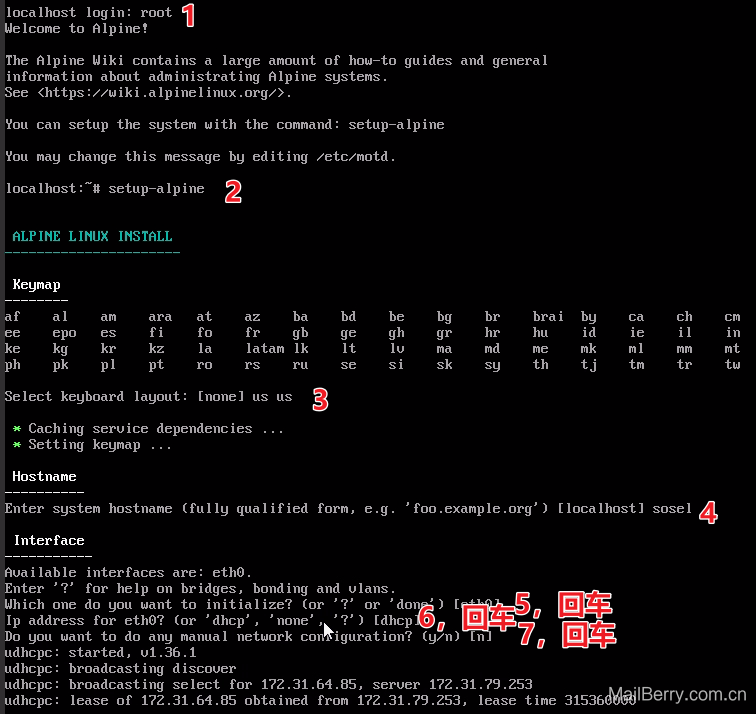
这就配置好网络了

这样配置好用户名和密码及时区,代理跳过

启用root用户,并使用密码方式验证登录
二:修改磁盘

这一步会提示No disks available,Try boot media /media/vda ? 意思没有找到可用有磁盘,是否尝试安装到vda云盘上,改y
安装完成后,reboot重启,首次安装向导就完成了。
三:修改DNS
如果不做这一步,只能ping通ip地址,无效ping通域名
输入setup-dns

DNS domain name:nameserver
DNS 地址随意:我使用223.5.5.5
四:安装curl
直接使用命令apk add curl其它应用也是类似
五:添加额外源(可选) # 仓库配置路径 /etc/apk/repositories
http://mirrors.aliyun.com/alpine/v3.18/main    # 默认配置,主要的源
http://mirrors.aliyun.com/alpine/v3.18/community   # 社区源,默认未开启,去掉前面#号
edge 源,拥有很多第三方应用
http://mirrors.aliyun.com/alpine/edge/community
http://mirrors.aliyun.com/alpine/edge/testing
已经开好了,剩下的玩法大伙自己发掘吧,现在可以把oss+镜像删除了,防止额外扣费~


六. 保活服务器
需要使用阿里云sdk。
- 先创建一个用户并赋予权限
阿里云登录 - 欢迎登录阿里云,安全稳定的云计算服务平台
记得保存AccessKey ID、AccessKey Secret。后面需要用到 - 为刚创建的用户增加授权
- 修改下列脚本,安装必要依赖,设定每分钟执行。切记在另外的机器上设置,不要在刚开的服务器运行。使用crontab设置为每分钟执行一次


# -*- coding: utf-8 -*-
from aliyunsdkcore.client import AcsClient
from aliyunsdkcore.request import CommonRequest
from aliyunsdkecs.request.v20140526 import StartInstancesRequest, StopInstancesRequest, DescribeInstancesRequest
import json
import sys
import logging
# pip install aliyun-python-sdk-core aliyun-python-sdk-ecs


# ================== 1. 配置日志 ==================
logging.basicConfig(
    level=logging.INFO,
    format="%(asctime)s - %(levelname)s - %(message)s",
    stream=sys.stdout
)
logger = logging.getLogger(__name__)

# ================== 2. 配置阿里云凭证和ECS实例信息 ==================
ACCESS_KEY_ID = 'LTAIxxxxxxx'      # 您的AccessKey ID
ACCESS_KEY_SECRET = 'xxxxxxxxxx'   # 您的AccessKey Secret
REGION_ID = 'cn-hongkong'          # 区域ID
ECS_INSTANCE_ID = 'i-xxxxxxxxx'    # 您要控制的ECS实例ID

# 流量阈值 (GB)
TRAFFIC_THRESHOLD_GB = 180

# ================== 3. 初始化客户端 ==================
try:
    client = AcsClient(ACCESS_KEY_ID, ACCESS_KEY_SECRET, REGION_ID)
    logger.info("AcsClient initialized successfully.")
except Exception as e:
    logger.error(f"Failed to initialize AcsClient: {e}")
    sys.exit(1)

# ================== 4. 查询当前总流量 ==================
def get_total_traffic_gb(client):
    request = CommonRequest()
    request.set_domain('cdt.aliyuncs.com')
    request.set_version('2021-08-13')
    request.set_action_name('ListCdtInternetTraffic')
    request.set_method('POST')

    try:
        response = client.do_action_with_exception(request)
        response_json = json.loads(response.decode('utf-8'))

        total_bytes = sum(d.get('Traffic', 0) for d in response_json.get('TrafficDetails', []))
        total_gb = total_bytes / (1024 ** 3)

        logger.info(f"当前总互联网流量: {total_gb:.2f} GB")
        return total_gb
    except Exception as e:
        logger.error(f"获取CDT流量失败: {e}")
        sys.exit(1)

# ================== 5. 查询ECS实例状态 ==================
def get_ecs_status(client, instance_id):
    try:
        request = DescribeInstancesRequest.DescribeInstancesRequest()
        request.set_InstanceIds([instance_id])
        response = client.do_action_with_exception(request)
        response_json = json.loads(response.decode('utf-8'))

        instances = response_json.get("Instances", {}).get("Instance", [])
        if not instances:
            logger.error("未找到该ECS实例信息。")
            return None

        status = instances[0].get("Status")
        logger.info(f"ECS实例 {instance_id} 当前状态: {status}")
        return status
    except Exception as e:
        logger.error(f"获取ECS实例状态失败: {e}")
        return None

# ================== 6. 启动ECS实例 ==================
def ecs_start(client, instance_id):
    status = get_ecs_status(client, instance_id)
    if status == "Running":
        logger.info(f"ECS实例 {instance_id} 已经是运行状态,无需启动。")
        return

    try:
        request = StartInstancesRequest.StartInstancesRequest()
        request.set_InstanceIds([instance_id])
        request.set_accept_format('json')

        response = client.do_action_with_exception(request)
        logger.info(f"ECS启动响应: {response.decode('utf-8')}")
    except Exception as e:
        logger.error(f"启动ECS实例失败: {e}")

# ================== 7. 停止ECS实例 ==================
def ecs_stop(client, instance_id):
    status = get_ecs_status(client, instance_id)
    if status == "Stopped":
        logger.info(f"ECS实例 {instance_id} 已经是停止状态,无需再次停止。")
        return

    try:
        request = StopInstancesRequest.StopInstancesRequest()
        request.set_InstanceIds([instance_id])
        request.set_ForceStop(False)
        request.set_accept_format('json')

        response = client.do_action_with_exception(request)
        logger.info(f"ECS停止响应: {response.decode('utf-8')}")
    except Exception as e:
        logger.error(f"停止ECS实例失败: {e}")

# ================== 8. 主流程 ==================
def main():
    total_gb = get_total_traffic_gb(client)

    if total_gb < TRAFFIC_THRESHOLD_GB:
        logger.info(f"流量 {total_gb:.2f} GB < 阈值 {TRAFFIC_THRESHOLD_GB} GB,尝试启动 ECS")
        ecs_start(client, ECS_INSTANCE_ID)
    else:
        logger.info(f"流量 {total_gb:.2f} GB ≥ 阈值 {TRAFFIC_THRESHOLD_GB} GB,尝试停止 ECS")
        ecs_stop(client, ECS_INSTANCE_ID)

    logger.info("脚本执行完毕。")

if __name__ == "__main__":
    main()